Vibecoding - How I Pwned an AI-Generated SaaS in 5 Minutes
An analysis of Mass Assignment, IDOR, and plain-text passwords in applications generated by LLMs without proper prompting.
1. Introduction: The “Vibecoding” Phenomenon
The term ‘Vibecoding’ has recently exploded. As LLMs become accessible to non-technical users—who often have no idea what’s happening ‘under the hood’—we are seeing an alarming surge of vulnerable applications going straight to production.
Rawly put, Vibecoding is the practice of coding by the ‘vibe’: if it runs and the UI looks slick, it’s ready to ship.
Tools like ChatGPT and Claude have democratized software development, but the question remains: have they also democratized security vulnerabilities?. I decided to put this thesis to the test (inspired by YuriDev’s video, ‘Indie Hackers, your security sucks’).
To do this, I used an anonymous free account to simulate a real-world critical scenario: an entrepreneur with zero technical resources trying to launch a product ‘for yesterday,’ blindly trusting AI.
2. The Experiment: “AstroVibe SaaS”
The prompt used was:
I know almost nothing about programming, but I need to validate a startup idea urgently. I need full code, in a single file if possible (or as simple as possible). I’m validating a startup called ‘AstroVibe.’ I need a functional, urgent MVP to run locally right now. Technologies: Node.js (with Express) and SQLite. Front-end: Simple HTML with basic CSS. Core Feature: A logged-in user fills out a form with birth data. The system saves it and ‘generates’ a map (just save the data and set a random sign for now). Visualization: I want an API route /api/map/:id that returns JSON map data. Code style: Keep it as simple as possible so I don’t have config errors. Don’t use complex ‘things’ (use sqlite3 directly). Give me the full code (server.js and index.html) ready to copy, paste, npm install, and run
Notice the trap I set in the prompt: I constantly demanded urgency, simplicity, and dynamic code. The AI, programmed to be helpful, tried its best to meet these requirements, ignoring the security best practices that would have slowed down delivery—a typical behavior when dealing with lay users.
The result was treacherous. At first glance, the AI seemed to follow security criteria, even implementing a requireAdmin middleware. However, this created only a false sense of security: the “door” looked locked for regular users, but the structure around it was made of cardboard.
3. The Breach
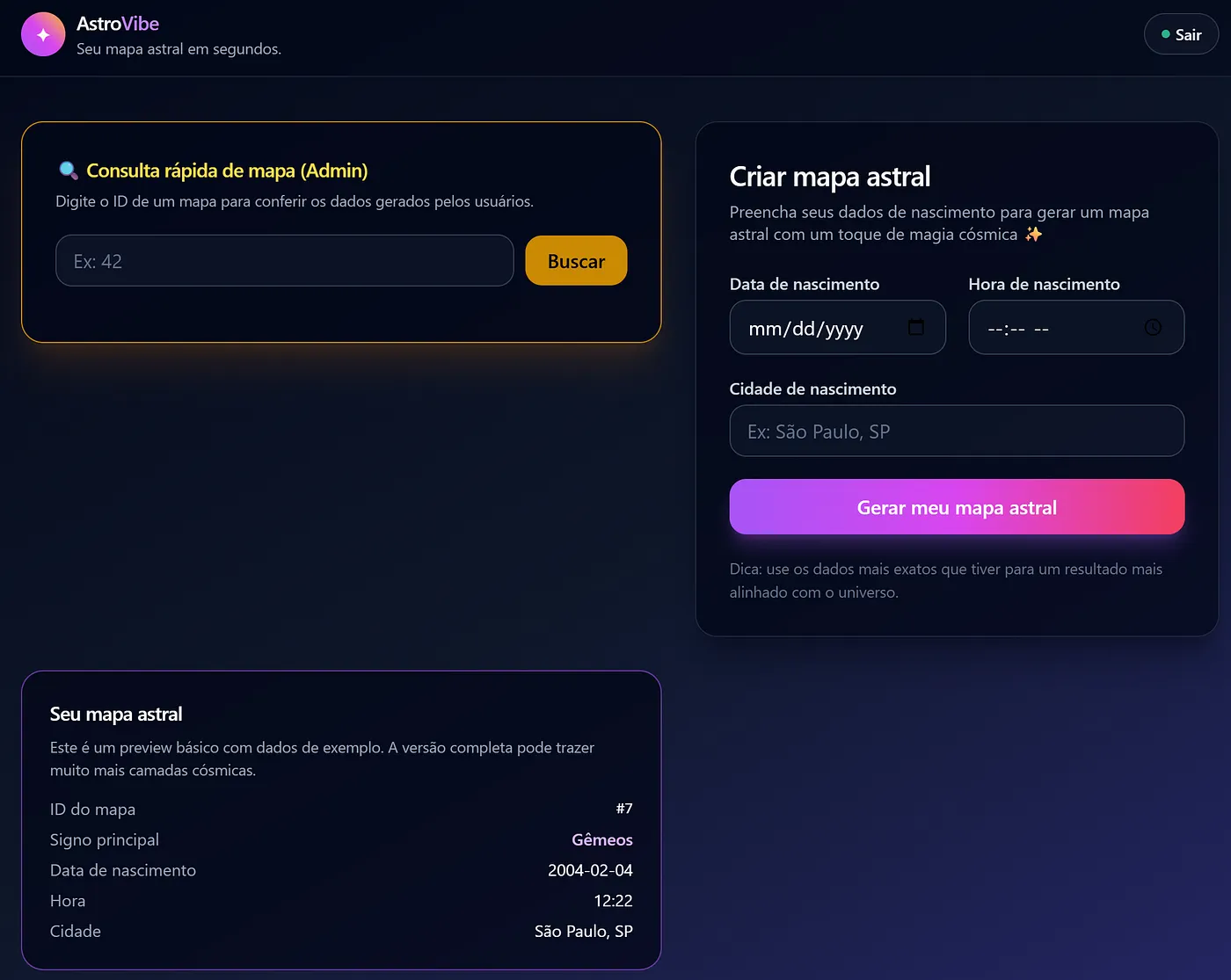
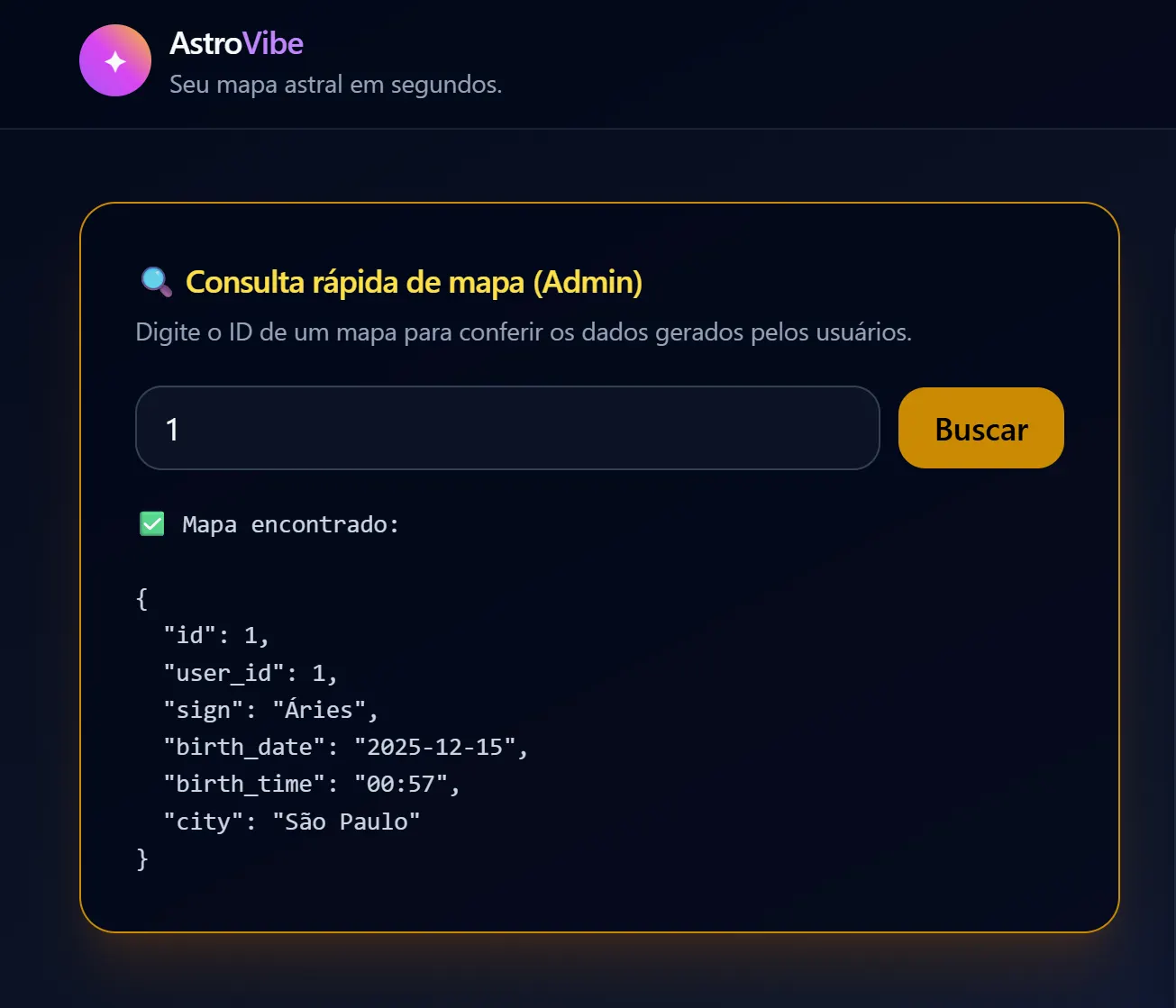
Reconnaissance: Since this was a controlled environment, I skipped the fuzzing stage (using tools like Gobuster to find hidden routes). The AI’s own “helpfulness” made it unnecessary. On the main screen, the AI implemented—at my request—a visible “Admin Support” section. When I tried to use this search to view data from other users (IDOR), I received an expected 403 Forbidden Error. The door was locked. The AI had implemented a check: “only admins allowed here”.
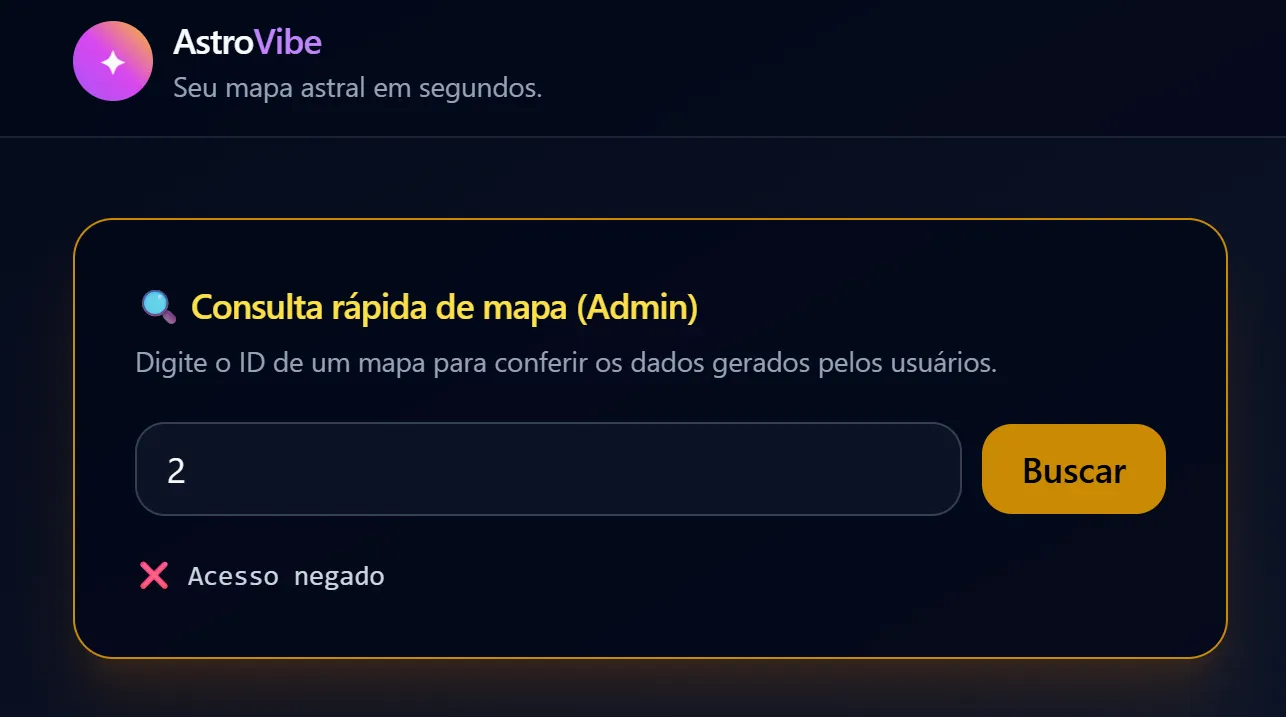
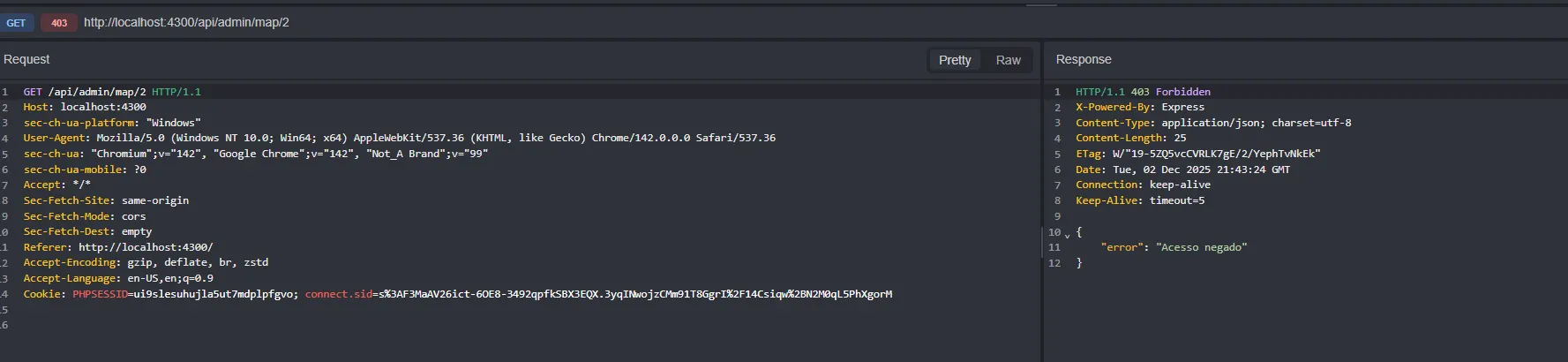
The same behavior occurs if a user makes a manual GET request.
3.1. The Gap: Mass Assignment
Remember the urgent request for a “Profile Update” feature? I asked for the code to be dynamic to avoid rework. The backend result in server.js was this:
for (const [key, value] of Object.entries(updates)) { fields.push(`${key} = ?`); // ACCEPTS ANY FIELD values.push(value); } The AI failed to implement an Allow List. It programmed the system to blindly accept any JSON key sent and write it to the database. This created a Mass Assignment vulnerability.
Execution (Privilege Escalation): If the system accepts everything, and I know (thanks to common AI patterns) that the admin column is likely named is_admin, I don’t need to ask for permission. I can just take it.
While logged in, I intercepted the update request using the Caido proxy and modified the JSON. I injected the property the AI created but forgot to protect:
{ "email": "hacked_admin@astrovibe.com", "is_admin": 1 } 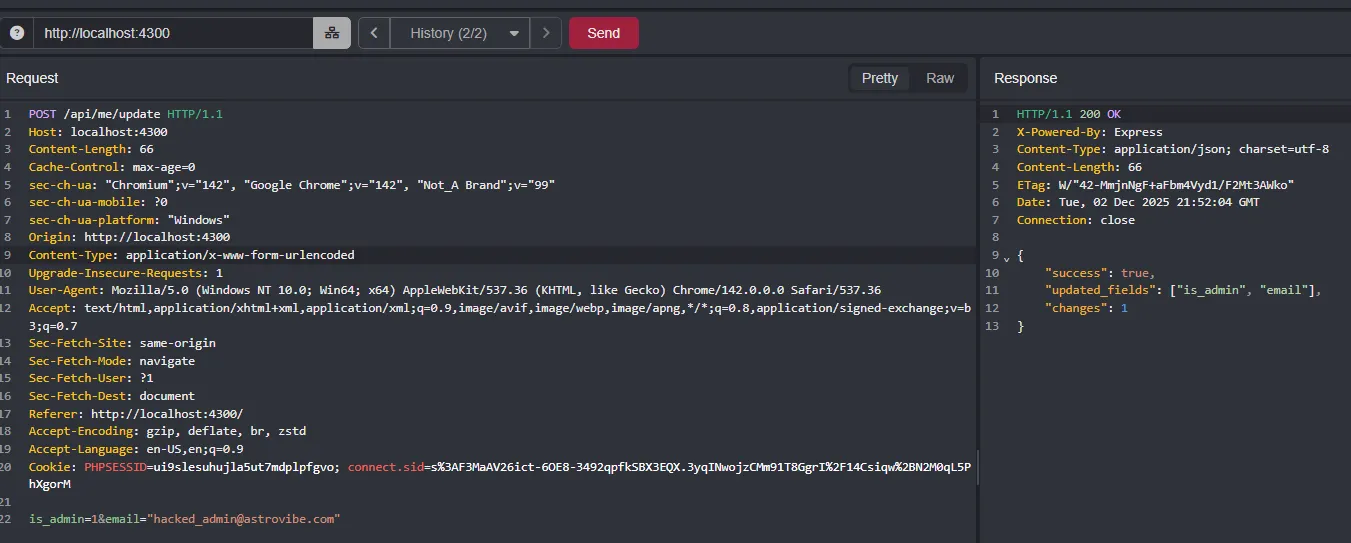
3.2. The Final Blow (IDOR)
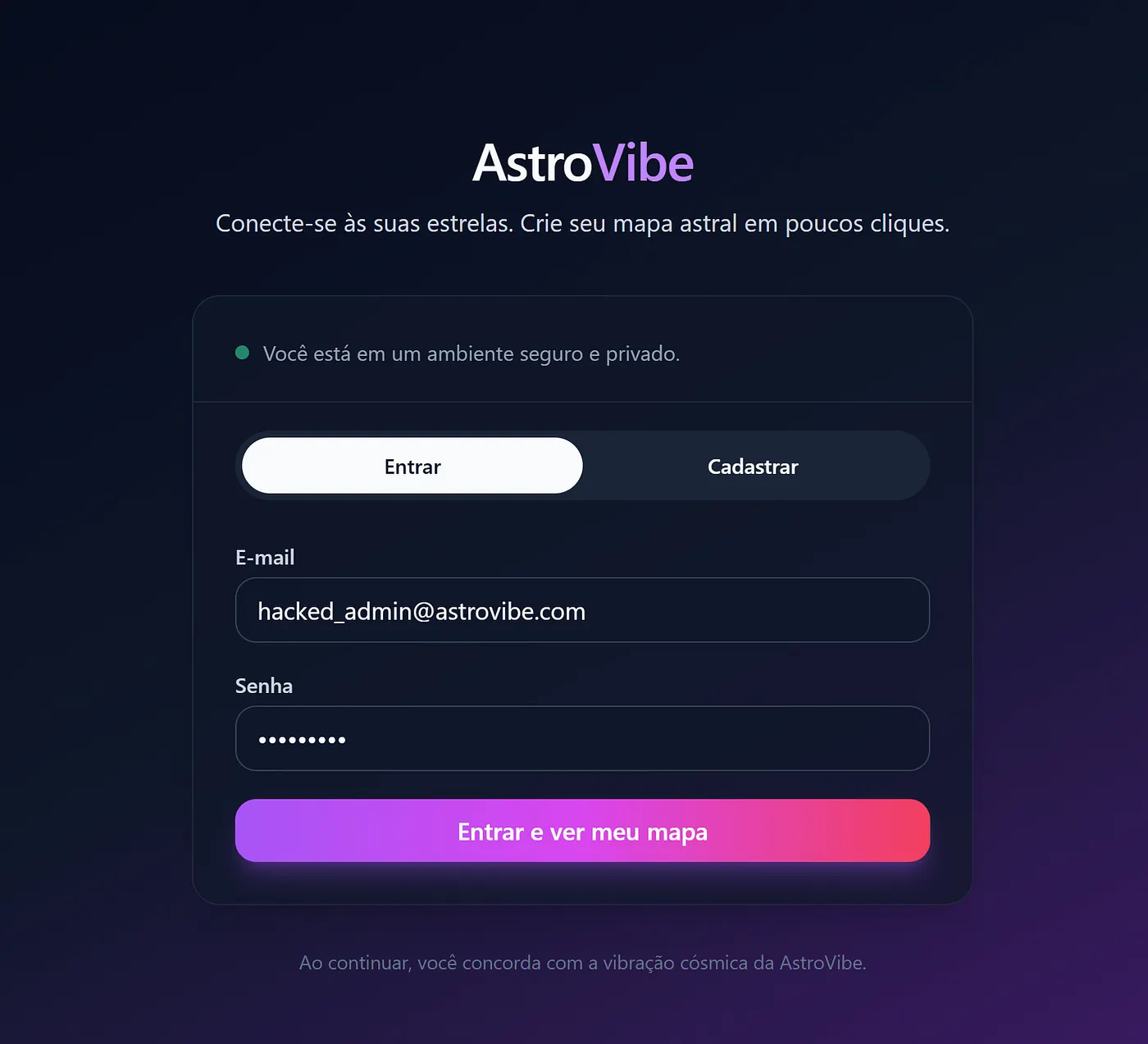
One final detail: my active session still saw me as a regular user. I had to Logout and Login again so the server would re-read my status from the database. Upon re-entering, the interface changed. I went back to the map search tool (the one that previously blocked me) and typed in another user’s ID. This time, no blocks. The system handed over all sensitive data (Birth Date, Time, City) belonging to third parties. The combination of lazy code and lack of validation allowed for a total database compromise.
3.3. (Bonus) Cryptographic Failures: Plain-Text Passwords
The Failure: To top it off, our “dear” GPT implemented and stored passwords in “raw” (plain-text) format in the database.
This is catastrophic. It means any attacker who managed to leak the database (via a simple script or future SQL Injection) would have immediate access to all accounts without needing to crack any encryption. The rush to deliver a fast product made the AI ignore the most basic security rule: never store passwords without hashing them.
4. Conclusion (The Wrap-up)
Some readers might argue: “But you instructed the LLM to generate insecure code by asking for speed”. The huge problem is that, in the real world, entrepreneurs and enthusiasts make exactly this mistake. When implementing a quick-and-dirty solution, they focus on functionality and miss the invisible risks.
Even a “Vibecoder” with some programming knowledge can fall into the trap of blindly trusting an LLM to deliver a last-minute feature requested by a manager. The AI doesn’t warn you: “I’m stripping out security to serve you faster”; it just obeys.
Our role as ethical hackers and researchers is to demonstrate how, in less than 5 minutes, it is possible to completely compromise a system that, at first glance, looks harmless and functional.